[[{“value”:”
Hey AI Breakers 👋
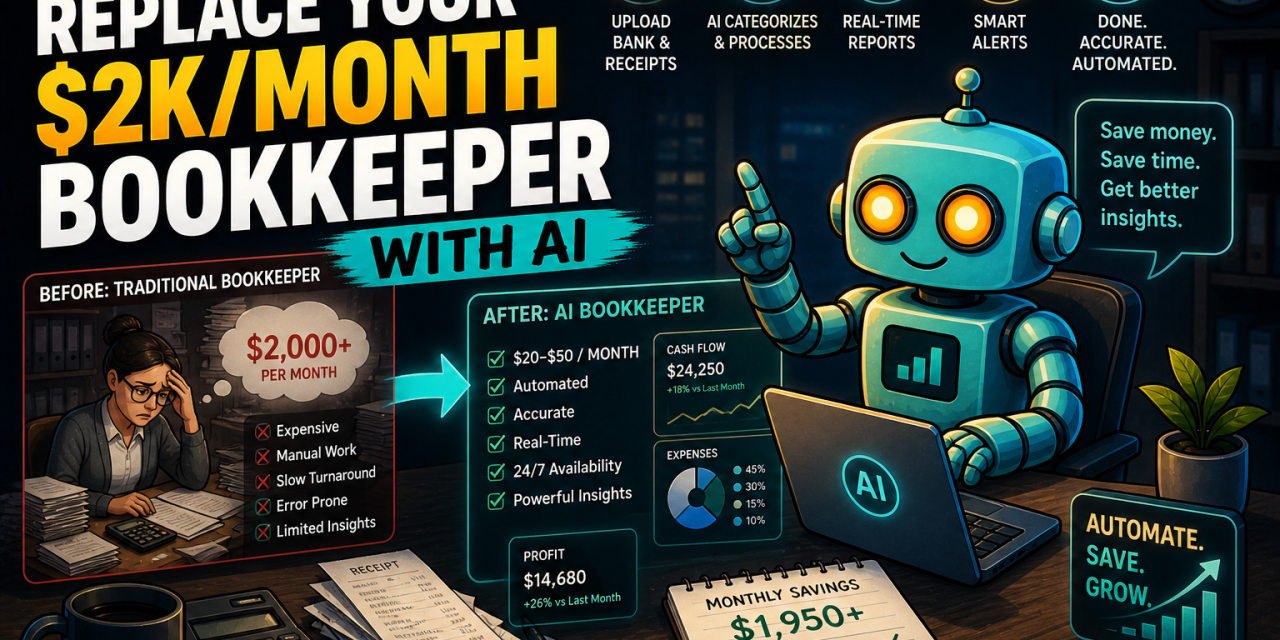
Founders dread month-end because it means hours chasing receipts, categorizing expenses, and reconciling numbers. Most of that work is structure and pattern recognition, which is exactly what AI is great at.
Today, you’ll build an AI Bookkeeping Engine that handles 80% of your finance ops:
-
✅ A custom Chart of Accounts built around your business model
-
✅ Invoice and receipt templates ready to send in seconds
-
✅ A categorization system that turns messy bank exports into clean books
-
✅ A 13-week rolling cash flow forecast you can update weekly
-
✅ A monthly close report with variance analysis and red flags
-
✅ A CFO-style insight summary that tells you what the numbers actually mean
Let’s build it 👇

🧠 How the AI Bookkeeping Engine Works
Each prompt feeds the next. By the end you have a connected system, not five disconnected outputs.
-
🧱 Stage 1. Build the foundation: your Chart of Accounts.
-
🧾 Stage 2. Generate invoices and receipts that match your books.
-
💸 Stage 3. Categorize and reconcile every transaction from your bank and card exports.
-
📈 Stage 4. Forecast 13 weeks of cash in and out.
-
📊 Stage 5. Close the month with variance analysis.
-
✍️ Stage 6 (optional). Translate the numbers into CFO-grade insight.
You only need ChatGPT or Claude. No spreadsheets to memorize, no accounting software to learn first.
🧱 Prompt #1 → The Chart of Accounts Builder (Your Financial Foundation)
Every bookkeeping system starts with a Chart of Accounts (CoA). It’s the spine of your books. If this is wrong, every report downstream is wrong too. A 10-minute prompt here saves you days of cleanup later.
Goals for this prompt:
-
Generate a CoA tailored to your business model and country
-
Include income, COGS, operating expenses, assets, liabilities, and equity
-
Add account codes you can plug into QuickBooks, Xero, or a spreadsheet
✅ Use this to set up clean books from day one or to clean up a messy CoA you inherited.
Prompt:
You are a senior bookkeeper and accounting systems designer with 15+ years of experience setting up books for [SaaS / agency / e-commerce / consulting / other] businesses.

I run a [BUSINESS TYPE] based in [COUNTRY].
Annual revenue: [APPROX REVENUE].
Team size: [HEADCOUNT].
Main revenue streams: [LIST 1-3].
Main cost categories I already know about: [LIST IF ANY].

Build me a clean, modern Chart of Accounts I can use in QuickBooks, Xero, or a spreadsheet.

Requirements:
1. Use 5 top-level groups: Income, Cost of Goods Sold, Operating Expenses, Assets, Liabilities, Equity.
2. Use 4-digit account codes (e.g. 4000 series for income, 5000 for COGS, 6000 for OpEx, 1000 for assets, 2000 for liabilities, 3000 for equity).
3. Tailor sub-accounts to my business model. Be specific (e.g. "Stripe Processing Fees" not just "Bank Fees").
4. Add a one-line description for each account so a non-accountant knows when to use it.
5. Flag 3-5 accounts that are commonly miscategorized for businesses like mine, and explain how to handle them correctly.

Output as a clean table: Code | Account Name | Type | Description.
💡 Tip: If you already use QuickBooks or Xero, paste a screenshot of your current CoA and ask the model to “audit and improve” it instead of starting from scratch. Most inherited CoAs have 2-3 categories that quietly hide important data (e.g. “Software” lumping a $20K/year tool in with $5/mo subscriptions). The audit pass surfaces those fast.
🧾 Prompt #2 → The Invoice and Receipt Engine (Get Paid Faster)
Slow invoicing kills cash flow. The fix isn’t expensive software, it’s a reusable template plus a generator you can rerun any time you need to bill a client.
Goals for this prompt:
-
A clean invoice template aligned to your CoA from Prompt #1
-
Compliant with your country’s tax rules (VAT, GST, sales tax, or none)
-
A receipt template for paid invoices
-
Friendly but firm payment terms language
✅ Use this to draft any invoice in under 60 seconds without hunting for a template.
Prompt:
You are an invoicing and AR expert who has set up billing systems for hundreds of small businesses.

Here is my Chart of Accounts:
[paste output from Prompt #1]

I'm based in [COUNTRY]. My tax setup is: [VAT registered at X% / GST / sales tax / none / other].
My standard payment terms are: [NET 14 / NET 30 / on receipt / other].

Do three things:

1. Build me a reusable invoice template with these fields:
   - Header (my company info, logo placeholder, invoice number, dates)
   - Bill-to block
   - Line items table (Description, Quantity, Unit Price, Account Code from my CoA, Tax, Total)
   - Subtotal, Tax, Total Due
   - Payment instructions (bank transfer, Stripe, etc.)
   - Footer with terms and a friendly thank-you line

2. Build a matching receipt template for paid invoices.

3. Write 3 short payment terms blurbs I can drop in: friendly, neutral, firm-but-polite (for late payers).

Output the templates in markdown so I can paste them into Notion, Google Docs, or my invoicing tool. Include placeholders in [BRACKETS] for everything I'll fill in per client.
🧠 Tip: Once you have the template, give the model your client’s project details and say “Generate the invoice.” It will fill in line items, codes, and totals using the CoA you built. For recurring clients, save a one-line “client profile” (rate, billing day, tax handling, payment method) and paste it in. New invoice in 20 seconds.
💸 Prompt #3 → The Expense Categorizer and Reconciler (Tame the Mess)
This is where most founders lose hours. A bank export with 200 transactions becomes a 3-hour categorization marathon. AI can do the first pass in minutes.
Goals for this prompt:
-
Categorize every transaction against your CoA
-
Flag anything ambiguous, personal, or potentially miscategorized
-
Surface duplicates and unusually large or small transactions
-
Output a clean CSV-ready table
✅ Use this to turn raw bank or credit card exports into reconciled, codeable transactions.
Prompt:
“}]] Read More in The AI Break