
[[{“value”:”
Hey AI Breakers 👋
AI agents can now open your files, use a browser, and hand you a finished spreadsheet or doc. So stop using them like a chatbot.
Today we will show you 10 boring tasks you can hand over today, one copy-paste prompt each.
Let’s go 👇
⚙️ The 60-Second Setup
Every prompt below works in both tools. Use the one you already pay for.
-
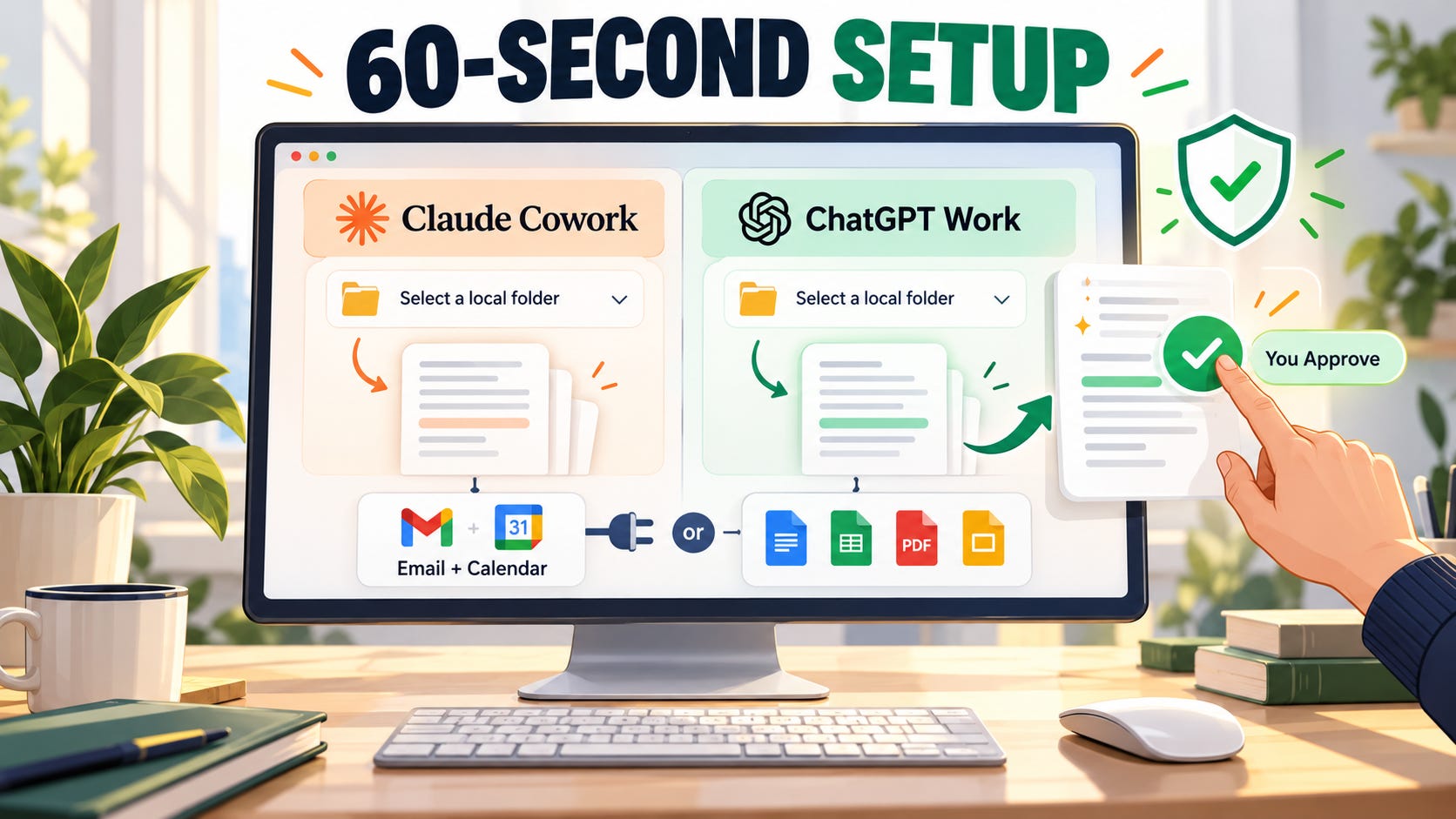
🟠 Claude Cowork: open the Claude desktop app, go to the Cowork tab, and pick the folder it can work in.
-
🟢 ChatGPT Work: open the ChatGPT desktop app, flip Chat to Work, and open a local folder.
-
🔌 For tasks #6, #7, #8 and #10, connect your email and calendar in the app’s connector settings. Or just drop the files into the folder instead.
The golden rule: the agent drafts, you decide. Nothing in this list sends an email, pays a bill, or deletes a file without you.
📅 Task #1 → The Contract Date Finder (No More Surprise Renewals)
Leases, software contracts, insurance, supplier agreements. They all have renewal dates and notice periods buried on page 7.
✅ Use this to never miss a “cancel 60 days before renewal” deadline again.
Prompt:
You are a contracts assistant. Read every contract and agreement in the folder [FOLDER NAME IN YOUR DESKTOP].

For each one, pull out:
1. Who it's with and what it's for
2. Start date and end date
3. Does it auto-renew? (yes/no)
4. Notice period to cancel, and the LAST DAY I can give notice
5. Cost and how often it's billed
6. Anything unusual I should know (price increase clauses, penalties for leaving early)

Put it all in a spreadsheet called "contract-dates.xlsx", sorted by the last day to give notice, soonest first. Highlight anything due in the next 90 days. If a date isn't clear in the document, write "check manually". Don't guess.
💡 Tip: Then ask: “Add a calendar reminder 2 weeks before each notice deadline.” One prompt, and your renewals are handled for the year. (don’t forget to connect your calendar first)
📝 Task #2 → The Notes-to-Actions Sweeper (One List From 20 Meetings)
Action items are scattered across a dozen docs, notebooks and transcripts. Half of them are already forgotten.
✅ Use this every Friday to catch everything that slipped through.
Prompt:
You are an executive assistant. Read every meeting note and transcript in [FOLDER NAME] from the last [2 WEEKS].

1. Pull out every action item, decision, and promise someone made ("I'll send that over", "let's revisit next week").
2. For each action: what it is, who owns it, the deadline (if one was mentioned), and which meeting it came from.
3. Group the list by owner, with MY actions first. My name is [YOUR NAME].
4. Flag anything overdue, and anything that has no owner.
5. Save it as "action-list.xlsx" and give me a 5-line summary of what needs my attention this week.
🧠 Tip: Add “draft a short follow-up message for each action owned by someone else” and you have your Friday chasers done too.
📚 Task #3 → The Research Pile Summarizer (20 PDFs, One Page)
Reports, whitepapers, proposals, industry PDFs. You downloaded them to “read later”. Later never came.
✅ Use this to get the key points from a stack of documents in minutes.
Prompt:
You are a research analyst. Read every document in [FOLDER NAME]. I'm reading these because: [YOUR GOAL, e.g. I'M DECIDING WHETHER TO ENTER THE GERMAN MARKET / I'M PREPARING FOR A CLIENT PITCH].

Create a one-page brief called "research-brief.docx":
1. The 5 most important findings for my goal, each with the source document and page number.
2. Where the documents agree, and where they disagree.
3. Any numbers or stats I might want to quote, with the exact source.
4. What's missing: questions these documents don't answer.
5. A table at the end: each document, one line on what it's about, and whether it's worth reading in full (yes/no).

Only use what's in the documents. If you're not sure about something, say so.
💡 Tip: The “worth reading in full” column is the hidden gem. Usually 2 or 3 documents deserve your time and the rest don’t.
📇 Task #4 → The Contact List Merger (One Clean List, Finally)
Contacts in your CRM, email tool, a spreadsheet from an event, and your phone. All slightly different, all with duplicates.
✅ Use this before any email campaign, CRM import, or holiday card list.
Prompt:
“}]] Read More in The AI Break


