[[{“value”:”
Hey AI Breakers 👋
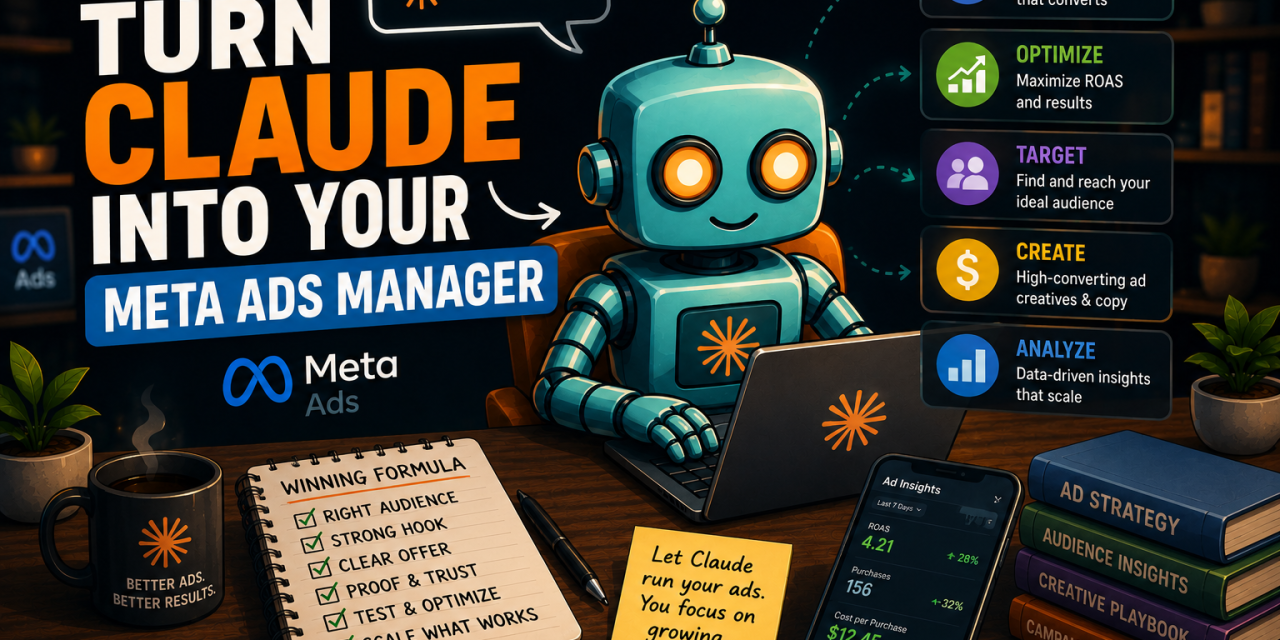
Claude just killed Meta ads agencies.
Meta quietly shipped an official MCP connector that plugs your ad account straight into Claude.
So that $4K/month retainer? Optional now.
Today, you’ll build an AI Meta Ads Manager that reports, builds, optimizes, and fixes your campaigns with you, all in plain English.
By the end, you’ll be able to:
✅ Connect Claude to your Meta account
✅ Pull a full performance report on demand, zero dashboards
✅ Catch the trends and ad fatigue you’d normally miss
✅ Build and launch entire campaigns from a chat
✅ Fix broken catalogues and silent tracking leaks
✅ Get instant answers on rejections and Meta rules
Let’s build it 👇

🧠 How the AI Meta Ads Manager Works
In April 2026, Meta launched an official Ads connector (an MCP server) that plugs your ad account straight into Claude. It’s not just reporting. It can do almost everything Ads Manager does.
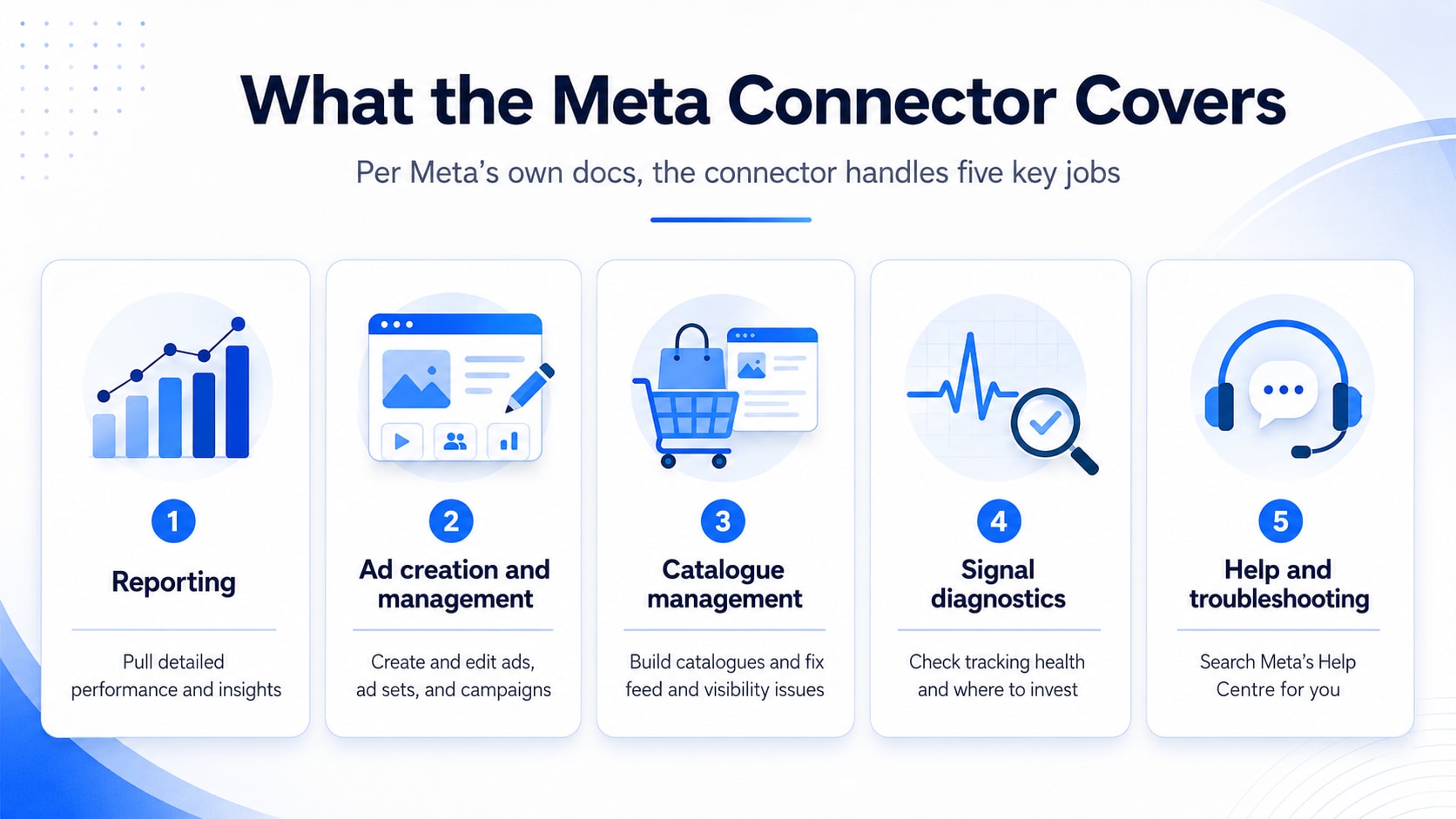
Per Meta’s own docs, the connector covers five jobs:
-
📊 Reporting → pull detailed performance and insights
-
🏗️ Ad creation and management → create and edit ads, ad sets, and campaigns
-
🛒 Catalogue management → build catalogues and fix feed and visibility issues
-
📡 Signal diagnostics → check tracking health and where to invest
-
🛟 Help and troubleshooting → search Meta’s Help Centre for you
So instead of clicking through Ads Manager, you have a conversation. What took an afternoon takes a few minutes. We’ll walk the full lifecycle, one prompt at a time.
🔌 First: Connect Claude to Your Meta Ad Account (2 Minutes)
One-time setup. You’ll need a Meta Business account with access to your ad account, plus a paid Claude plan (custom connectors are a Pro / Max / Team feature).
Here’s the only URL you need:
https://mcp.facebook.com/ads
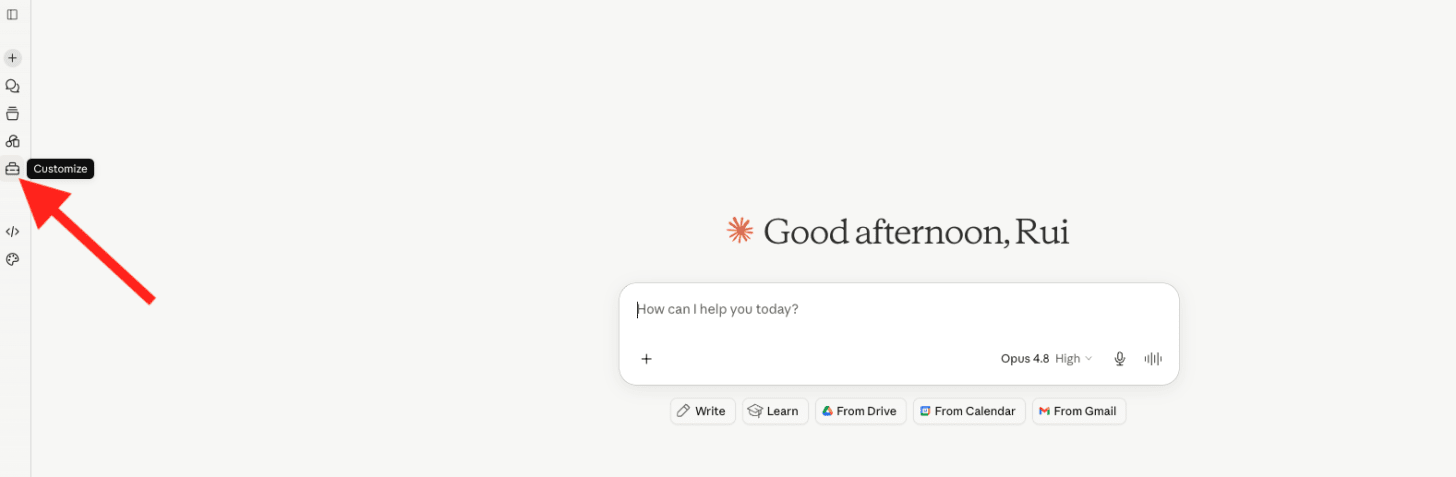
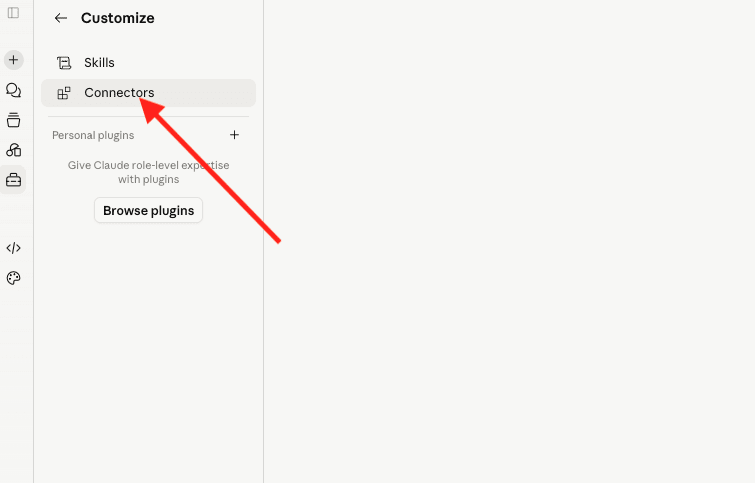
Connect it inside Claude:
-
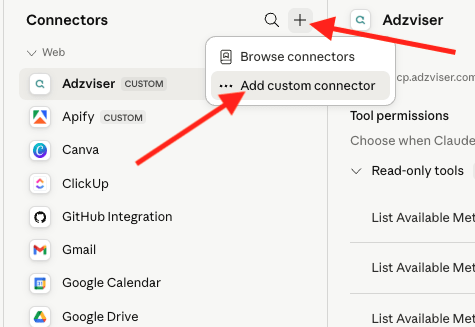
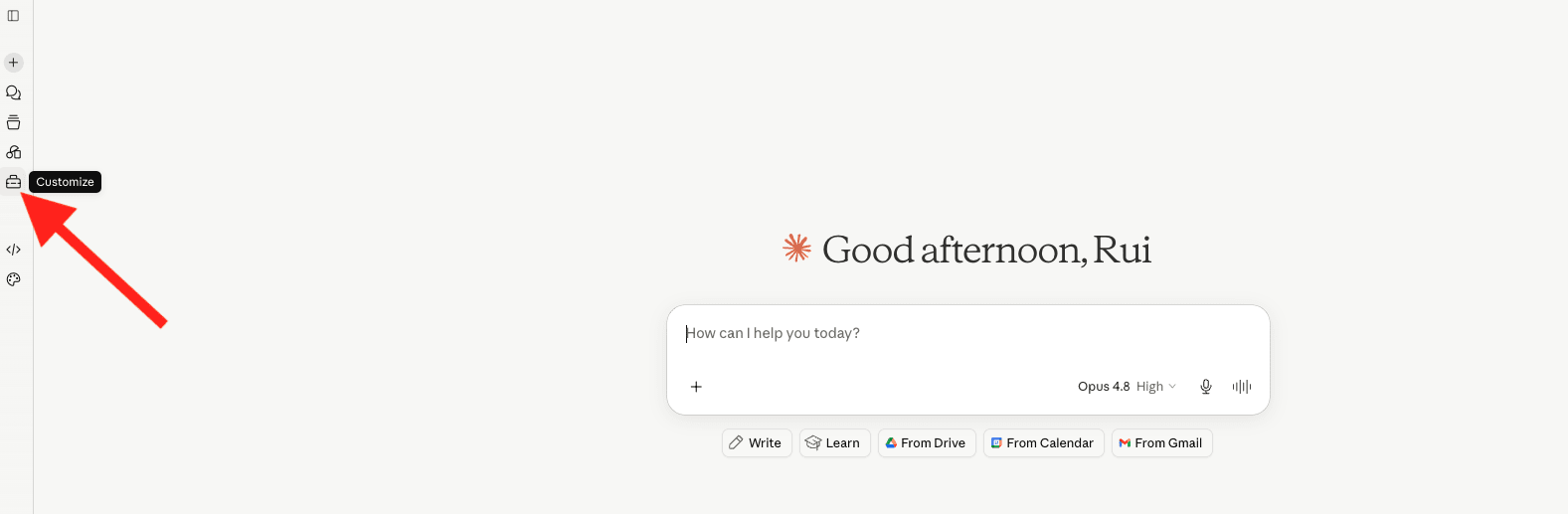
On the left menu click Customize
-
Then click Connectors
-
Click Add custom connector.
-
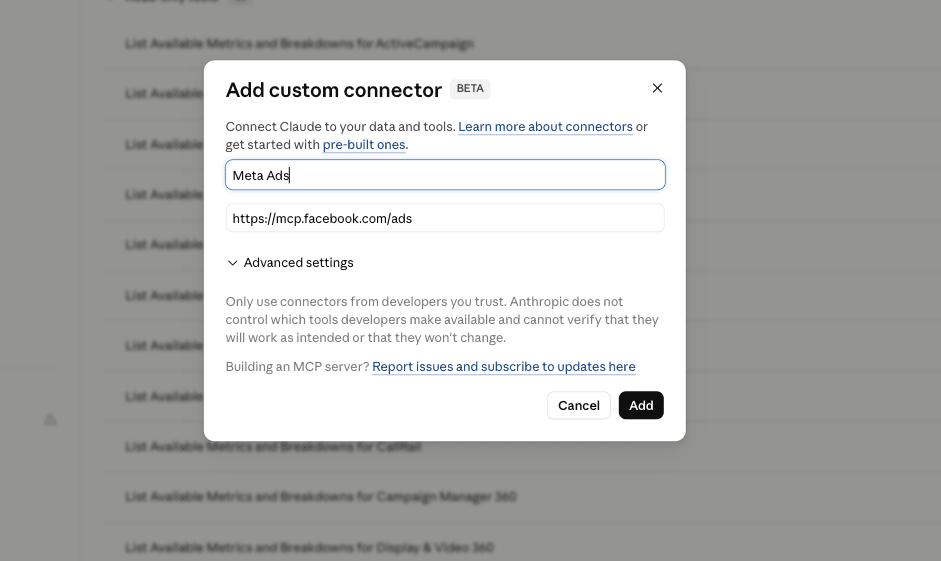
Paste the URL above into the “Remote MCP server URL” field and confirm. ( https://mcp.facebook.com/ads)
-
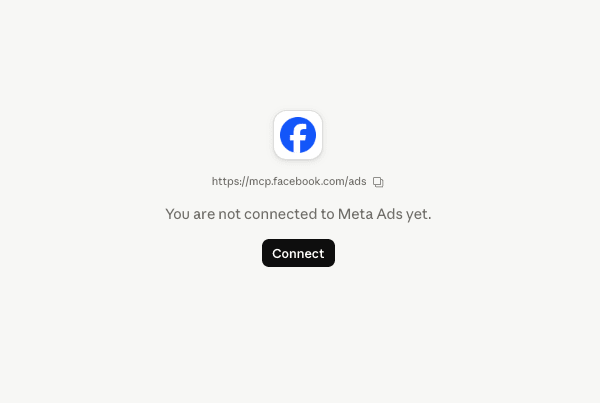
Sign in with Facebook and complete 2FA if you use it.
-
Choose which ad accounts (and Pages) to authorize, then approve.
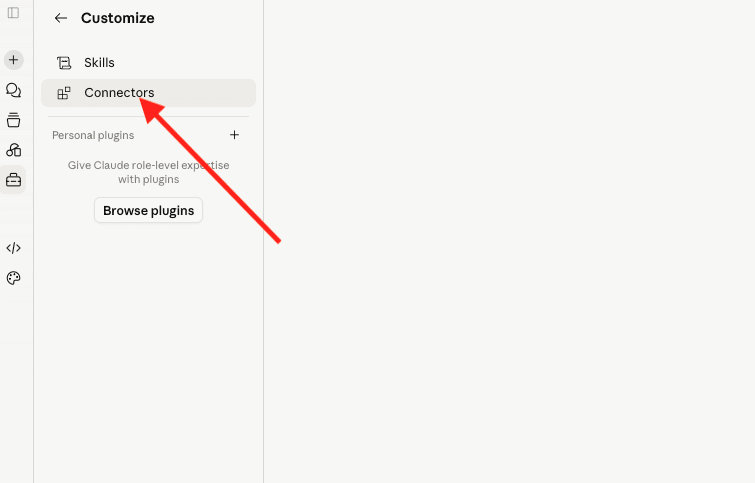
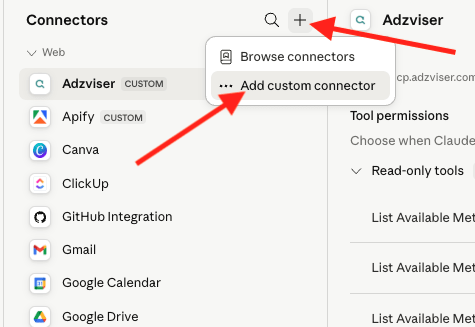
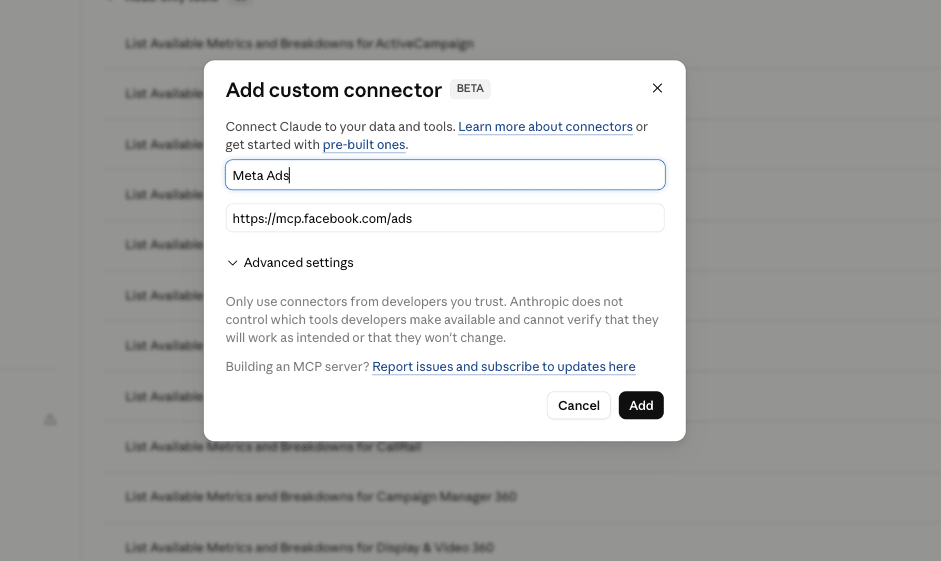
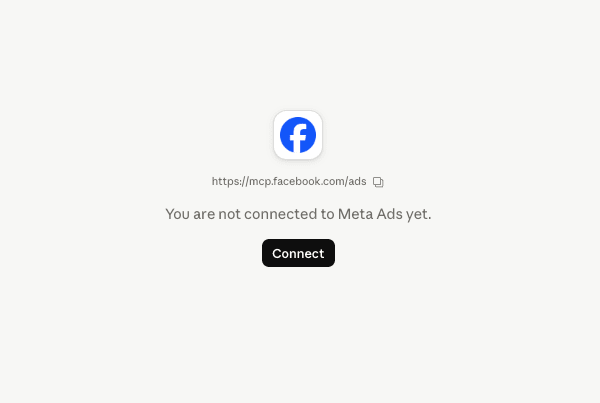
Test it. Ask Claude: “Show me my Meta ad accounts.” If it lists them, you’re live. 🎉
Two honest notes before we start:
-
✅ It’s free. Meta’s connector is in open beta with no charge during the beta.
-
✅ You stay in control. Authentication runs directly between you and Meta, with no third party in the middle. Claude can build and edit ads, but per Meta’s docs, any action that changes your account needs your authorization through Claude first. Nothing ships without your yes.
Full official details: Meta’s help page for the Ads AI connectors.
🔍 Prompt #1 → The Account X-Ray (Your Full Performance Picture)
Start with the truth. Before you change anything, get an honest snapshot of where the account stands.
The goal:
-
The headline numbers across your whole account
-
Your best and worst performers, ranked
-
An instant read on what’s healthy versus what’s off
✅ Use this to replace your weekly “open Ads Manager and squint” routine.
Prompt:
“}]] Read More in The AI Break