[[{“value”:”
Hey AI Break fam 👋 Luis & Rui here.
Ever opened ChatGPT for something important… and it replies like an overexcited intern?
Too many emojis. Too much fluff. Not enough structure.
Most people try to fix this by adding extra instructions to every prompt.
But now you can set the mood once and make ChatGPT match your style across chats, whether you want corporate calm, friendly support, or ruthless clarity.
This tutorial shows you what Mood Settings are, how they work, and 5 workflows you can copy today.
Let’s start 👇

What are “Mood Settings” in ChatGPT?
Mood Settings live in Settings → Personalization and come in two layers:
1) Personalities (Base style and tone)
This is the default vibe ChatGPT uses across chats. OpenAI’s presets include options like Professional, Friendly, Candid, Quirky, Efficient, Nerdy, Cynical, and Default.
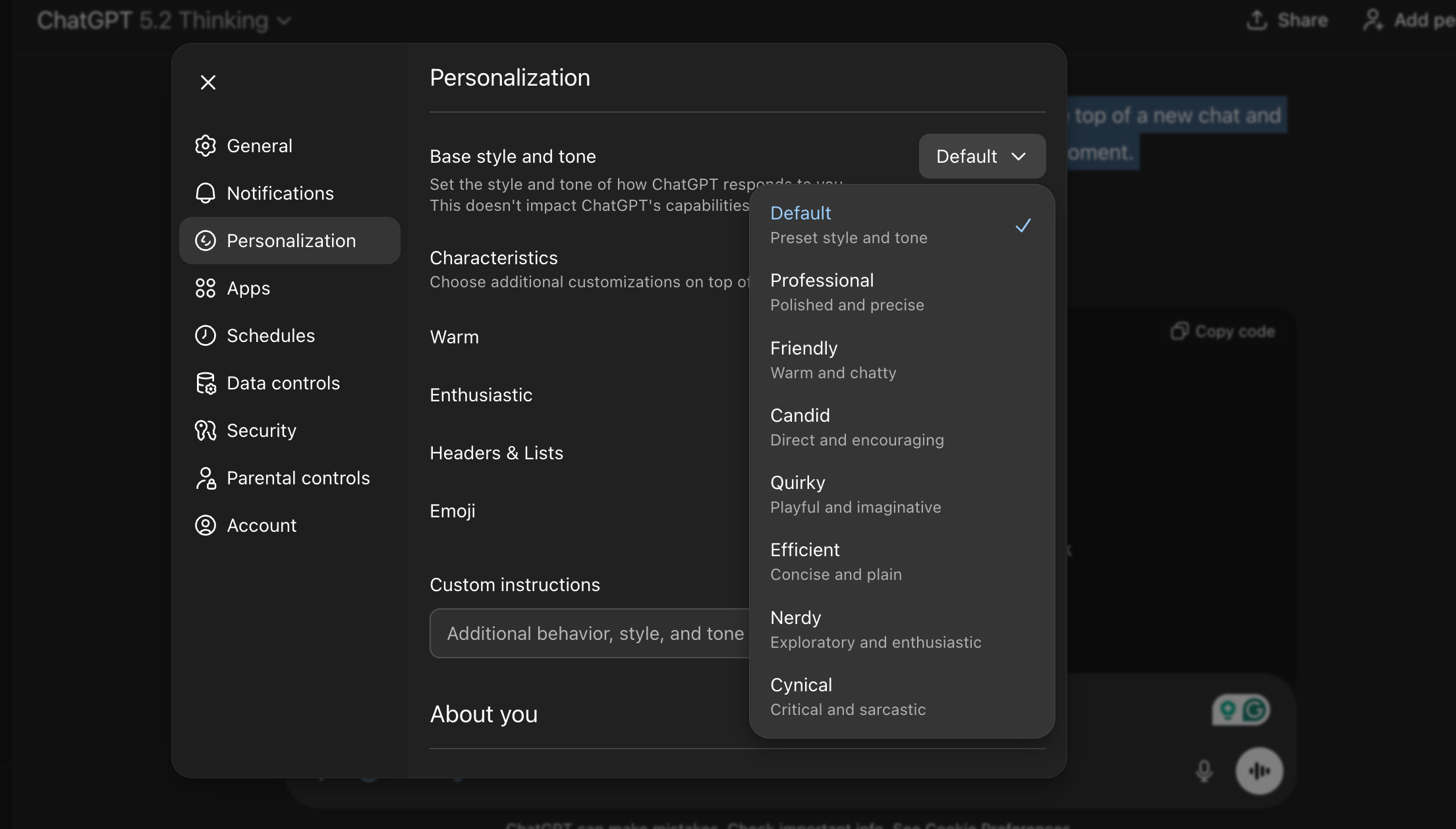
Best use cases by personality:
-
Professional: proposals, client emails, polished docs
-
Efficient: checklists, SOPs, “just tell me what to do”
-
Candid: teardowns, hard feedback, decision-making
-
Friendly: coaching, collaboration, support replies
-
Nerdy: deeper explanations, learning, technical trade-offs
-
Quirky: hooks, fresh angles, creative ideation
-
Cynical: stress-testing ideas, cutting fluff (use carefully)
—
2) Characteristics (fine-tuning knobs)
This is the newer “dial it in” layer.
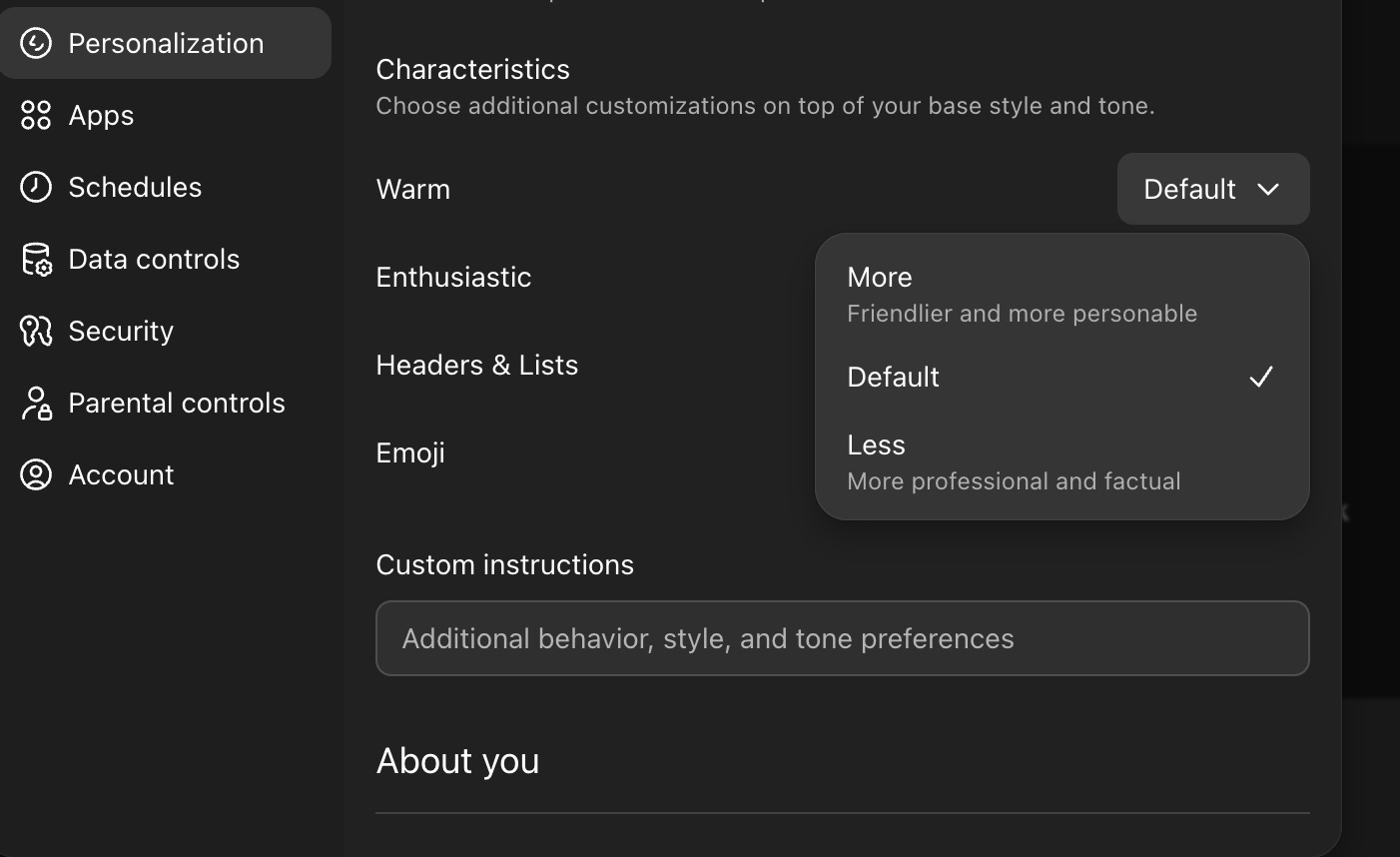
You can adjust things like:
-
warmth (more or less)
-
enthusiasm (more or less)
-
headers & lists (more or fewer)
-
emojis (more or fewer)
OpenAI announced these detailed controls in the release notes, and they’re rolling out gradually, so you might not see them yet.
What these settings do (and don’t do)
-
They change how ChatGPT communicates (tone and formatting), not its core abilities.
-
They work alongside your personality choice, custom instructions, and saved memories.
-
Updates you make in Personalization can apply across all chats immediately, including existing conversations.
-
Personalities do not apply to Voice mode (per OpenAI release notes).
Where to find them (fast)
Profile icon → Settings → Personalization
-
Choose Base style and tone (Personality)
-
If available: Add Characteristics (Warmth, Enthusiasm, Headers & Lists, Emojis)
💎 5 copy-paste Case Studies (founder workflows)
1) Cold outreach that doesn’t sound AI-written
Mood recipe: Professional + Warmth (slightly more) + Enthusiasm (less) + Emojis (none).
Prompt
Write 3 cold emails to a {{role}} at a {{companyType}}.
Tone: calm, professional, human. No hype. No emojis.
Each: 70 to 110 words. 2 subject lines. 1 clear CTA.
Offer: {{offer}}
Proof: {{proofPoint}}
Pain: {{pain}}
2) SOPs your team actually follows
“}]] Read More in The AI Break