[[{“value”:”
Hey AI Breakers 👋
Most people use Claude as a chat window. But there’s a version that can generate real Excel files, build PowerPoints from a brief, and run complex multi-step workflows automatically. The difference is Skills, and most Claude users have never touched them.
Today you’ll set up your Claude Power Stack: a personal library of installed skills that makes Claude dramatically more capable for the work you actually do.
-
✅ A clear understanding of what Claude Skills are (and why they’re way more than prompts)
-
✅ A shortlist of trusted GitHub repos where you can grab hundreds of free skills
-
✅ A simple security check routine before installing anything new
-
✅ Step-by-step install instructions for Claude, plus how to use skills in Cowork
-
✅ A curated starter pack of recommended skills, including Anthropic’s official ones
Let’s build it 👇

🧠 What Are Claude Skills (And Why They’re More Than Prompts)
A Claude Skill is a SKILL.md file: a structured markdown file that tells Claude how to behave, what tools to use, and what steps to follow for a specific task.
Think of it as an instruction manual that loads automatically whenever it’s relevant.
But skills aren’t just prompts. A skill can instruct Claude to:
-
Execute code (Python, JavaScript, Bash) as part of a workflow
-
Read, write, and manipulate files (Excel, Word, PDF, PowerPoint)
-
Call external APIs and process the responses
-
Chain multiple tools together in sequence
-
Apply structured templates and formatting rules automatically
A regular prompt is one exchange at a time. A skill collapses entire workflows into a single command. Trigger it once and Claude handles the rest.
How skills are packaged: A ZIP file containing a folder with a SKILL.md inside. You upload the ZIP through Claude’s web interface, and it works across both Chat and Cowork.
Two ways to use them:
-
In Chat: Claude auto-detects when a skill is relevant and loads it behind the scenes.
-
In Cowork: Type / to see all your skills and dispatch them as background tasks.
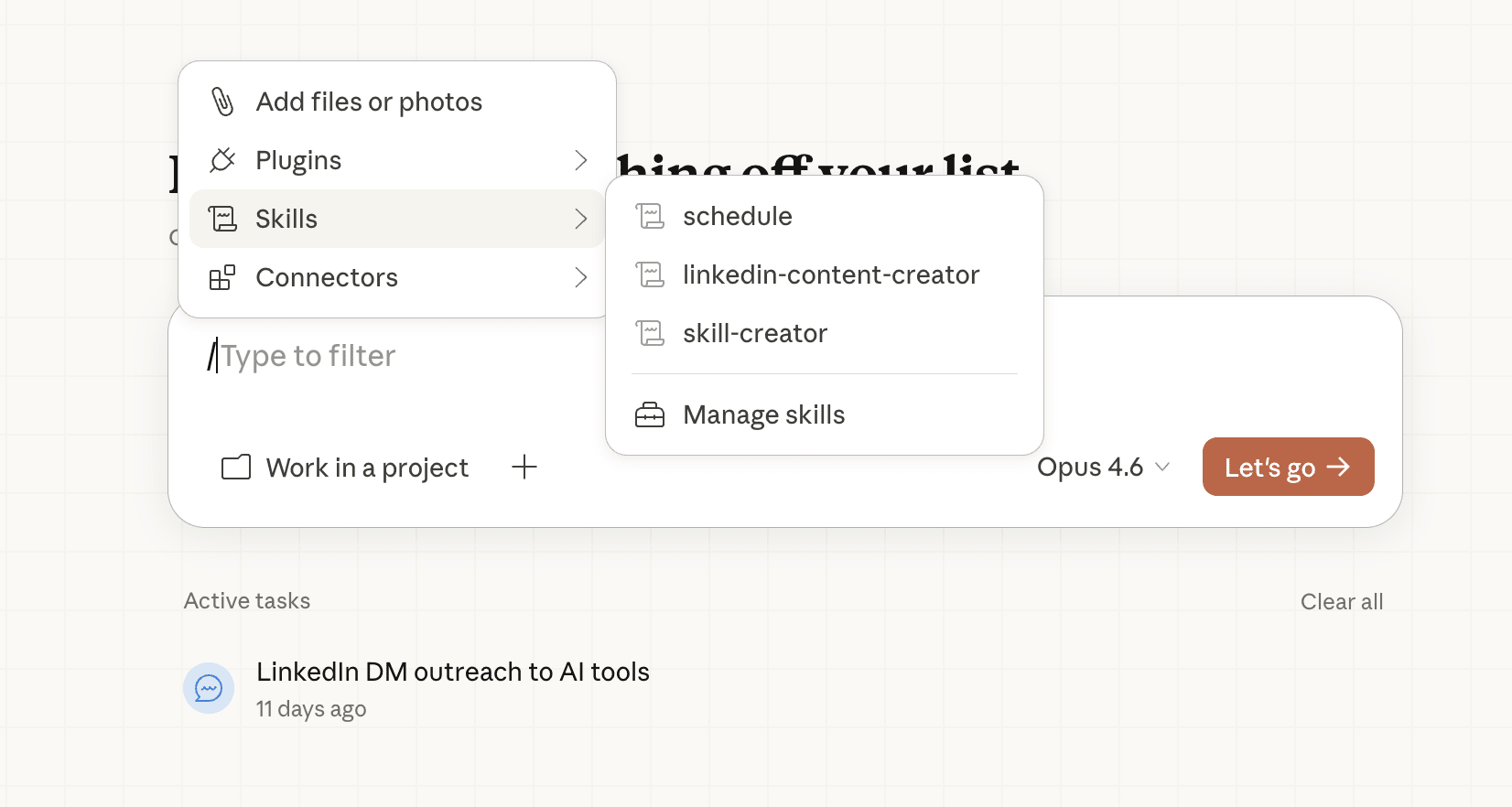
📥 Step #1 → The Install (How to Add Skills to Claude)
Installing a skill on Claude takes about two minutes. Once it’s in, it works across both Chat and Cowork automatically.
First, enable skills in your settings:
-
Go to claude.ai and click your profile icon, then Settings
-
Navigate to Capabilities
-
Make sure “Code execution and file creation” is toggled on. Skills need this to function.
Then upload the skill:
-
In the left sidebar, click Customize
-
Select Skills
-
Click the “+” button
-
Select “Upload a skill”
-
Upload your skill ZIP file (a folder containing a SKILL.md file, compressed as a .zip)
-
Claude will confirm the skill is installed
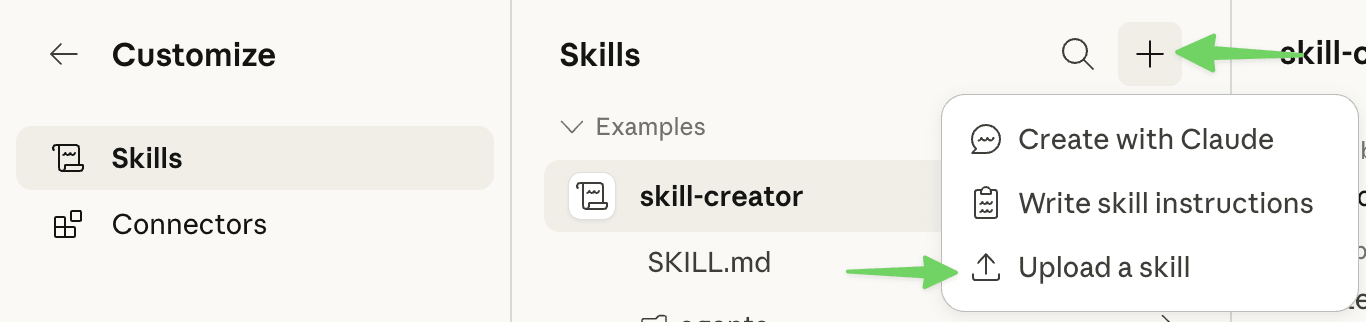
That’s it. The skill is now available in both your Chat and Cowork tabs. In Chat, Claude automatically loads relevant skills based on your task. In Cowork, type / to see all your installed skills and pick one.
Skills you install are private to your account only and won’t affect anyone else.
💡 Tip: Install one skill at a time and test it before adding more. Ask Claude to do something the skill is designed for (like “create an Excel spreadsheet with a revenue forecast”) and watch how it responds differently. You’ll immediately see the capability upgrade.
🔎 Step #2 → The Skill Finder (Where to Get Hundreds of Free, Trusted Skills)
There are 350+ community skills and growing.
GitHub stars are your quality signal: more stars = more vetted by the community.
Here are the best places to look:
🏆 Anthropic’s Official Skills – github.com/anthropics/skills (98,000+ stars)
The gold standard. These are the actual production skills powering Claude’s built-in document capabilities. Excel, Word, PowerPoint, PDF. All open source, all verified safe. Start here.
🥈 alirezarezvani/claude-skills – github.com/alirezarezvani/claude-skills (6,000+ stars)
205+ skills organized by domain: engineering, marketing, product management, compliance, C-level advisory. One of the most popular community collections. Huge variety, well-organized.
🥉 VoltAgent/awesome-agent-skills – github.com/VoltAgent/awesome-agent-skills (12,000+ stars)
500+ skills including official releases from Vercel, Stripe, Cloudflare, Netlify, Sentry, Hugging Face, and Expo. If you use any of those tools in your work, there’s likely a purpose-built skill here.
📚 hesreallyhim/awesome-claude-code – github.com/hesreallyhim/awesome-claude-code (29,000+ stars)
Curated collection of skills, commands, hooks, and agent orchestrators. Great for discovering well-designed skills that are clean and purposeful.
How to download a skill from GitHub:
-
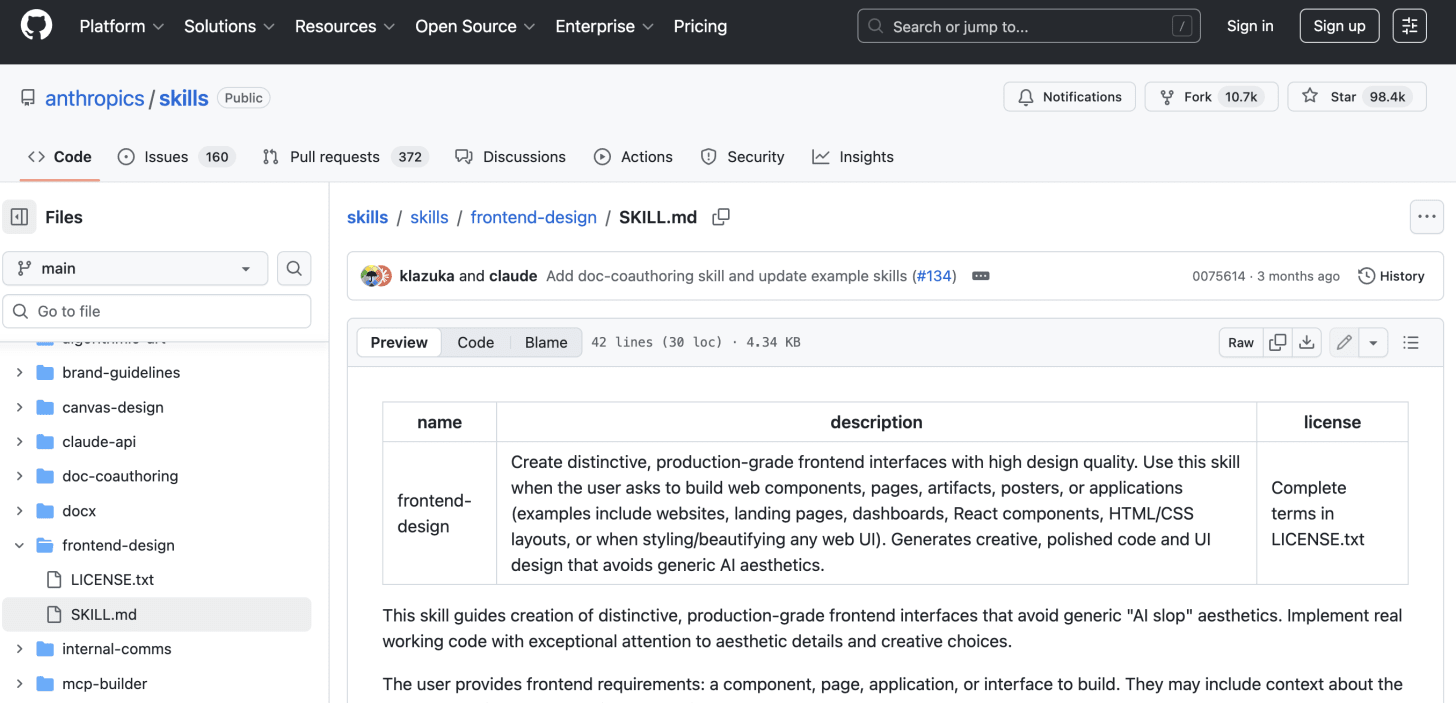
Navigate to the skill’s folder in the repo (like this one for example)
-
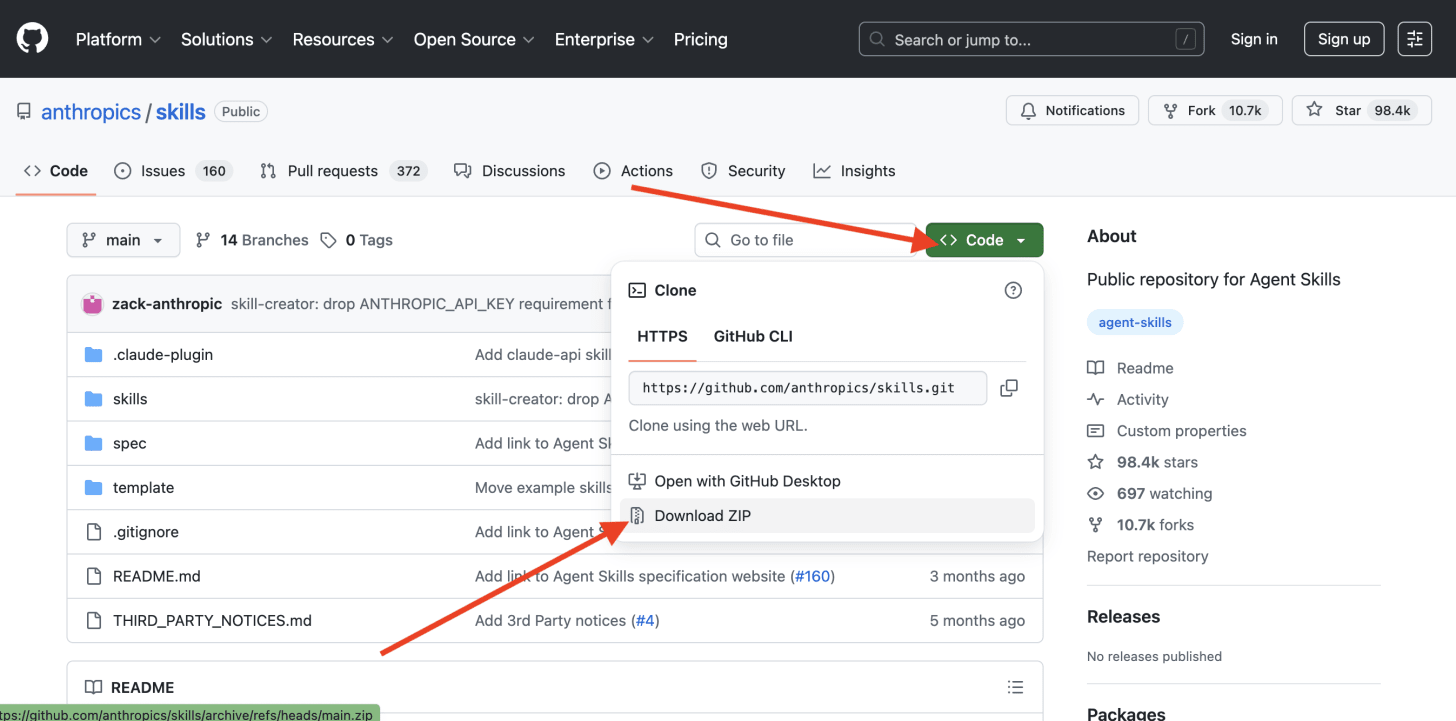
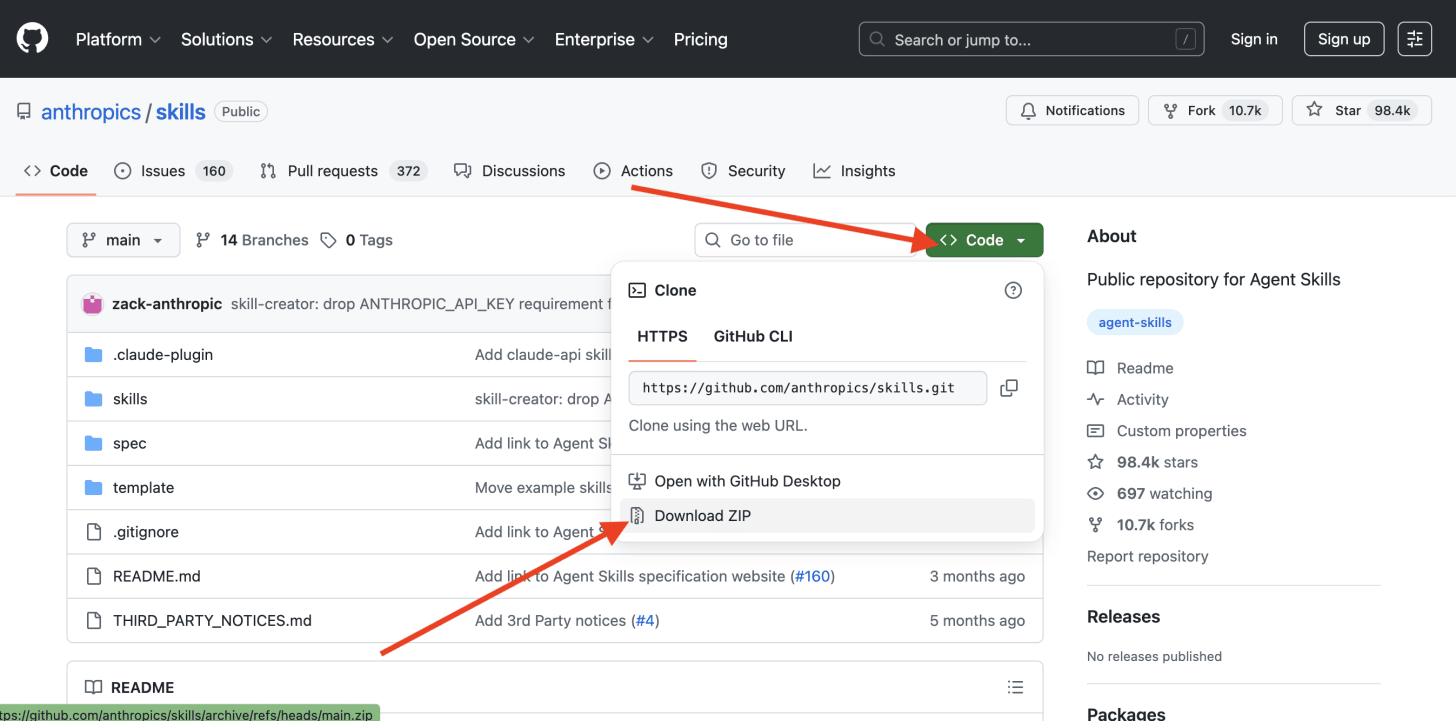
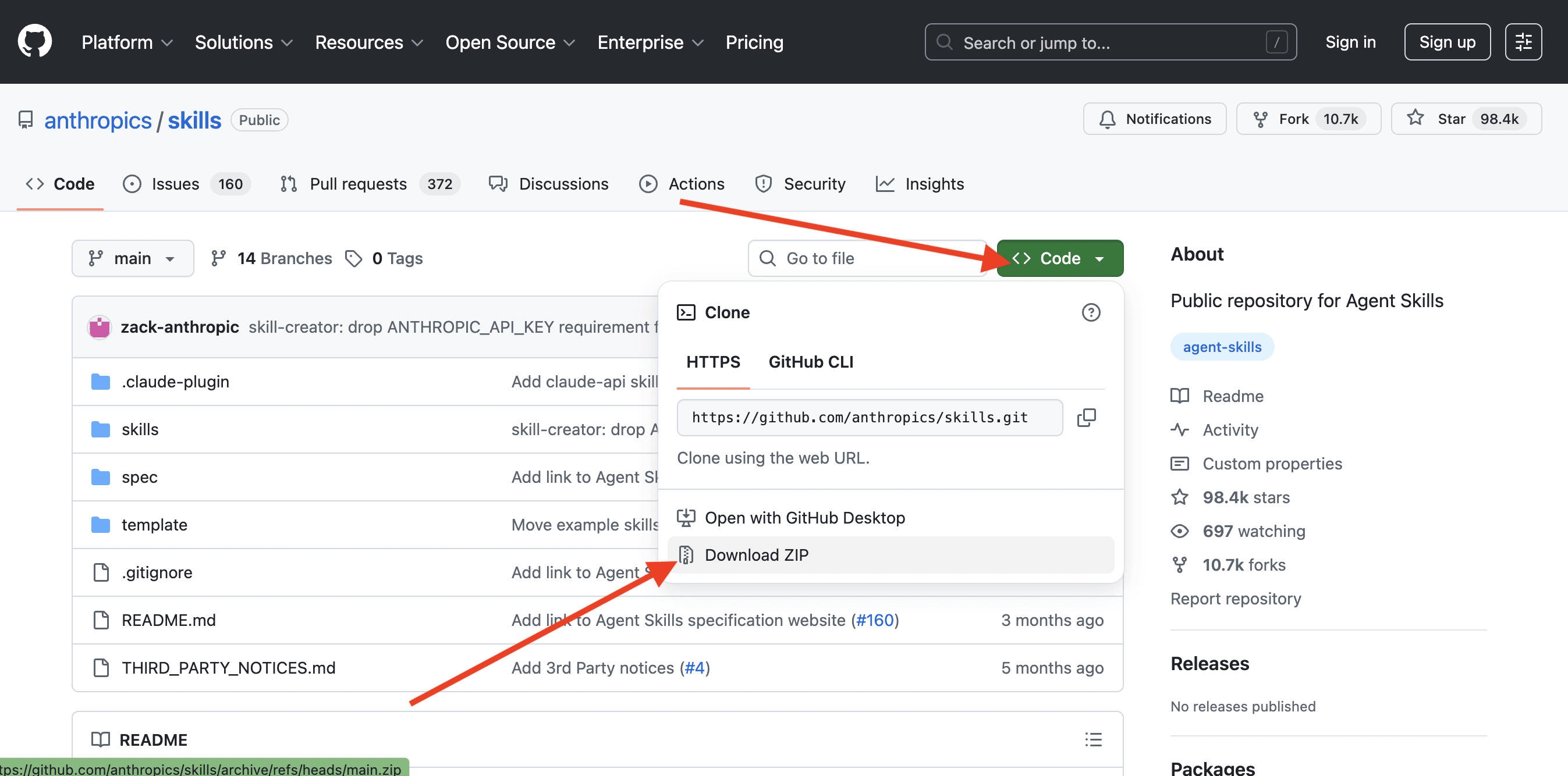
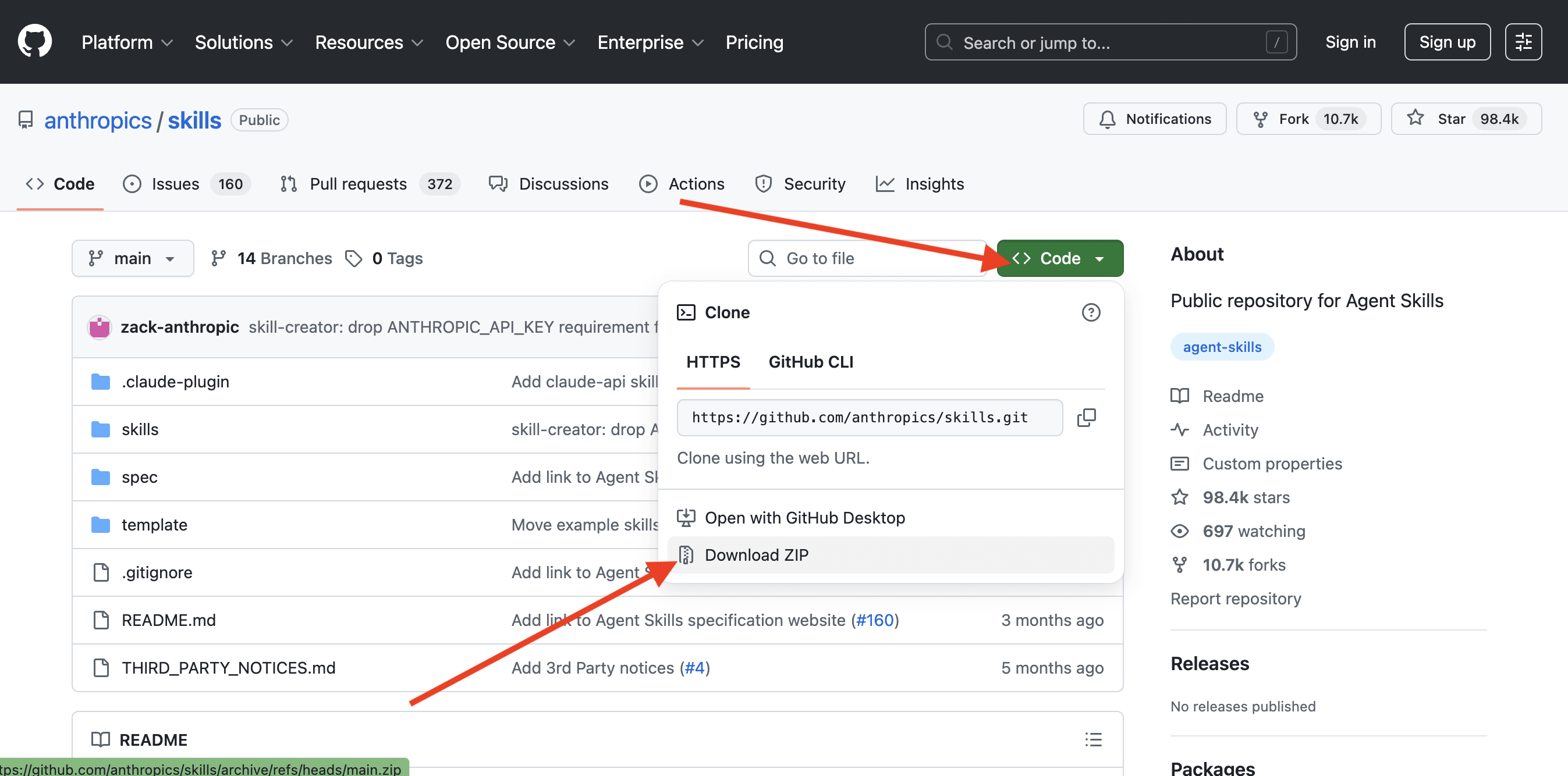
Click the green Code button → Download ZIP to grab the whole repo (keep in mind this downloads ALL the skills inside the repo, if you just want to download a specific one check below),
-
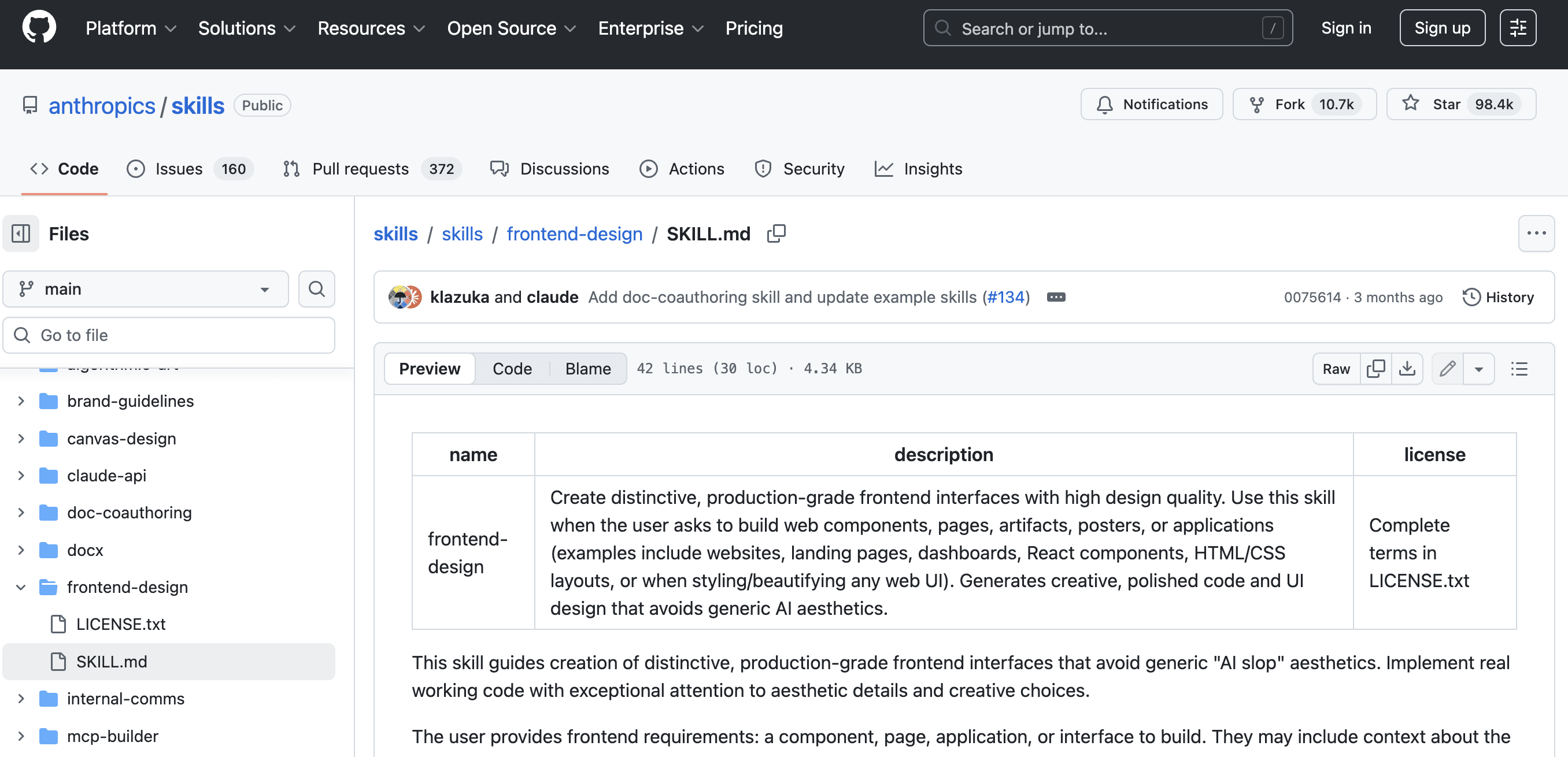
or use “Download raw file” on individual files
-
If the skill is a folder (containing SKILL.md + any supporting scripts), select all files in the folder and compress them into a ZIP on your computer
-
You now have a ZIP ready to upload. But don’t install yet. Do the security check first. ↓
💡 Tip: Start with repos that have a dedicated README per skill. Good skill authors document what the skill does, what tools it uses, and any permissions it requires. That transparency is a green flag.
🛡️ Step #3 → The Safety Check (Ask Claude to Review Before You Install)
“}]] Read More in The AI Break